Add a Website
Adding a website is the very first step to getting online. This guide walks you through creating the site in your control panel so it's ready to receive files.
What you need first
You'll need a domain name (like example.com) and your control panel login. If you don't have a domain yet, see Point your domain.
Step 1 — Open the Web section
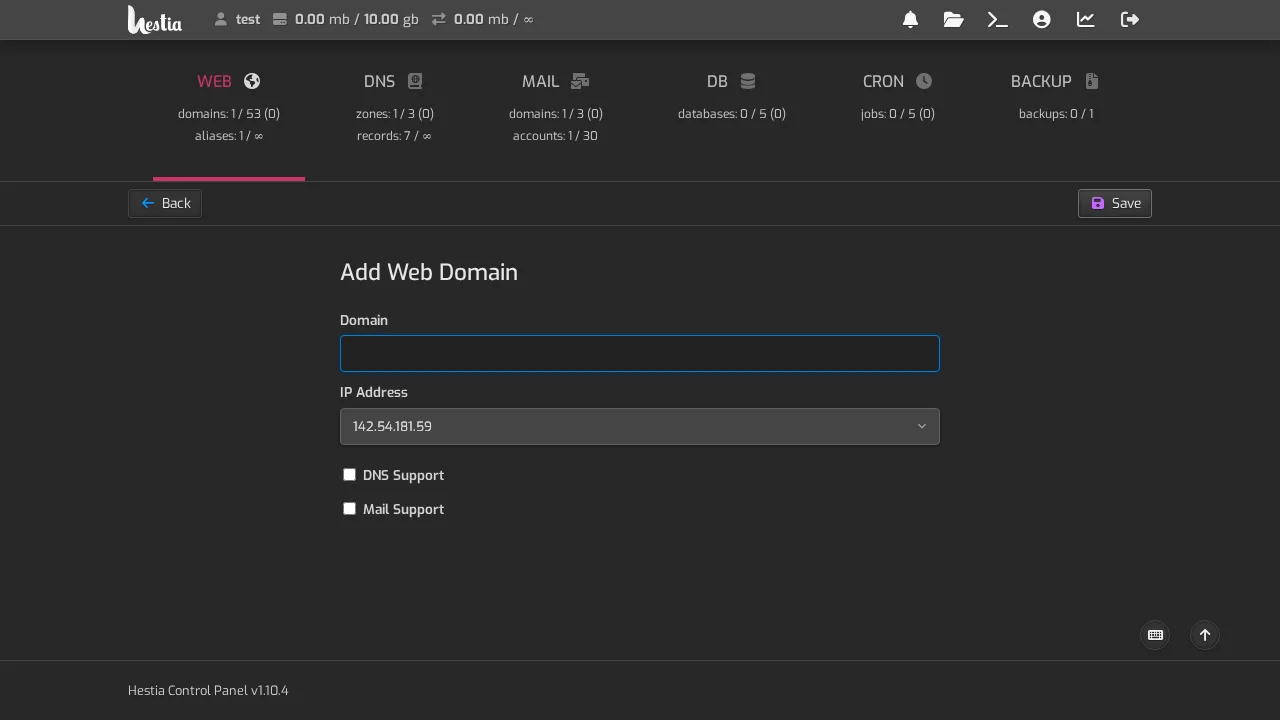
Log in to your control panel and click Web in the top menu. Click Add Web Domain.
Step 2 — Fill in the details
- Domain — enter your domain name (for example
example.com). Don't addwwworhttps://. - DNS Support — leave this on. It lets the control panel manage the records that point your domain here.
- Mail Support — turn this on if you also want email addresses on this domain (like
you@example.com).
Click Save.
Step 3 — Verify it's live
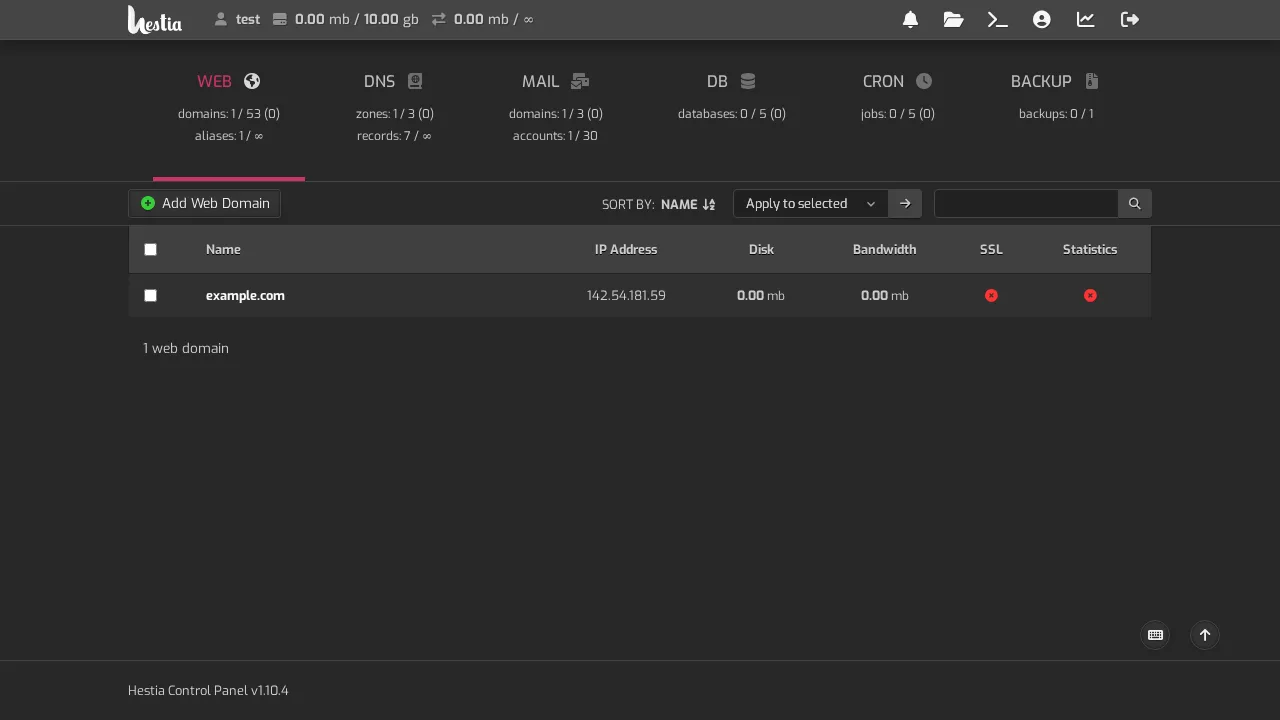
Your domain now appears in the Web list, showing its IP address, disk used, and bandwidth.
What's next
- Upload your website files — see Upload files
- Install WordPress — see Install WordPress
- Add email addresses — see Create an email address