Set Up Your Devices
You can read your Email Hosting mailbox from your phone, your computer, or webmail — all in sync. Here's how to connect a device using your email's connection settings.
Get your connection settings
Before you connect a device, grab the settings for your account. In webmail, go to User Settings and find the link to configuration guides for email clients and smartphones — it lists your exact server, ports, and security settings.
Here's the settings page:
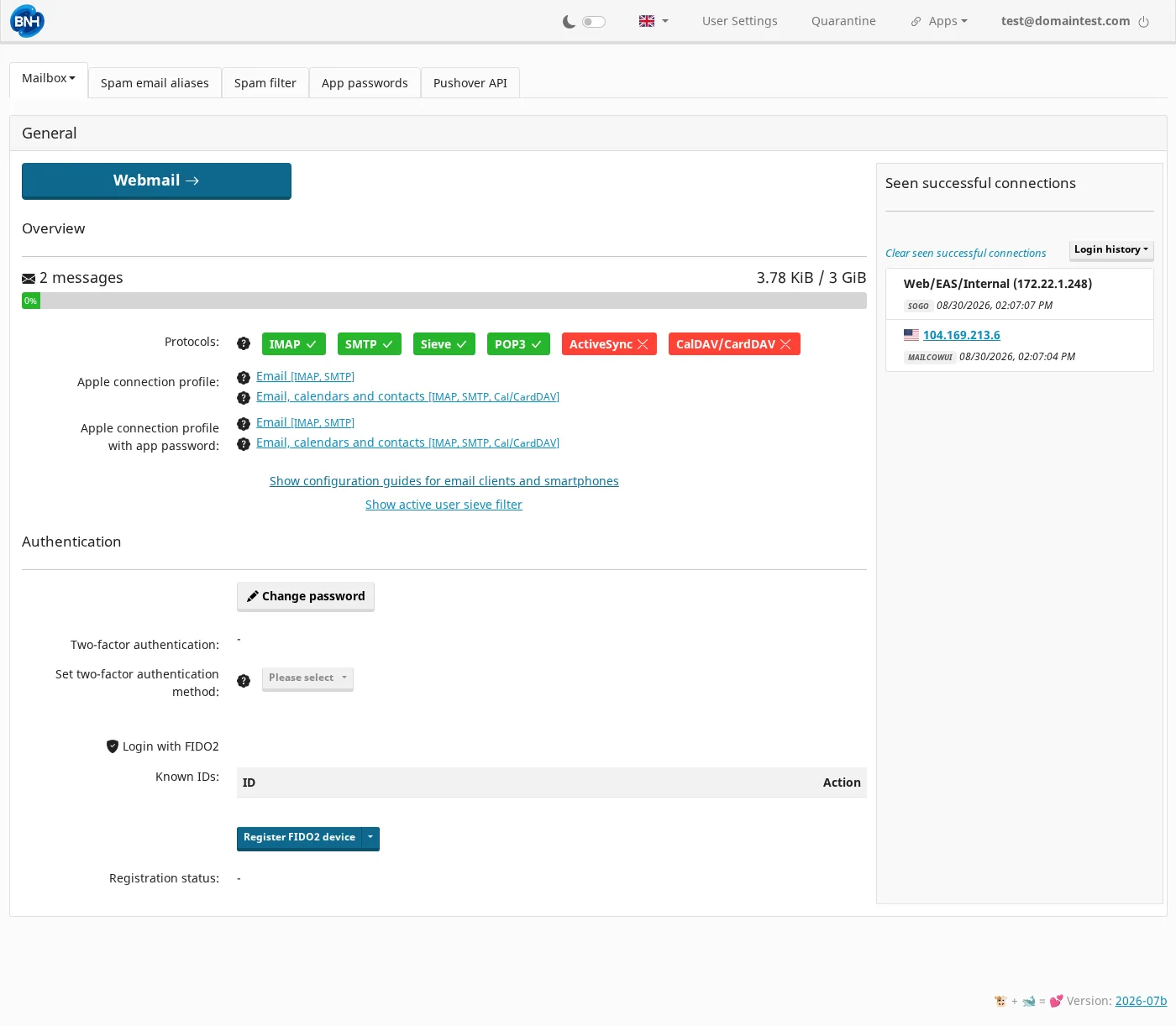
Typically you'll see:
| Server | Port | Security | |
|---|---|---|---|
| Incoming (IMAP) | mail.example.com | 993 | SSL/TLS |
| Outgoing (SMTP) | mail.example.com | 465 | SSL/TLS |
Use your full email address as the username, and your mailbox password. If a device has trouble with your password (some older devices do), use an app password instead — see Change your password.
On your phone (iOS / Android)
- Open your mail app and choose Add account / Add email.
- Choose Other or IMAP (not a Google/Outlook auto-setup).
- Enter your full email address and password.
- For Incoming, pick IMAP and enter the IMAP server and port.
- For Outgoing, enter the SMTP server and port.
- Save — it usually verifies and fetches your mail.
On a computer
Outlook
- File → Add Account.
- Choose Manual setup and then IMAP/POP.
- Enter your address and password, then the IMAP and SMTP servers, ports, and security.
- Finish and Verify.
Apple Mail
- Mail → Add Account → Other Mail Account.
- Enter your name, email address, and password.
- Enter the Incoming (IMAP) and Outgoing (SMTP) servers and ports.
- Save.
Thunderbird
- Choose File → New → Existing Mail Account.
- Enter your name, email address, and password.
- If it can't auto-detect, enter the IMAP and SMTP servers and ports manually.
Still not connecting?
- Use your full email address as the username (not just the part before
@). - Match the security type (SSL/TLS) and port exactly.
- Make sure the password is current (see Change your password).
- Try webmail to confirm the account works first.
Using a security key or two-factor? It's easiest to log in to webmail to manage that, and to use an app password for your phone/computer mail app. See Change your password.