Create an Email Address
Email on your own domain looks professional and keeps your business consistent. Here's how to create a mailbox in your control panel.
Step 1 — Open the Mail section
Log in to your control panel and click Mail in the top menu.
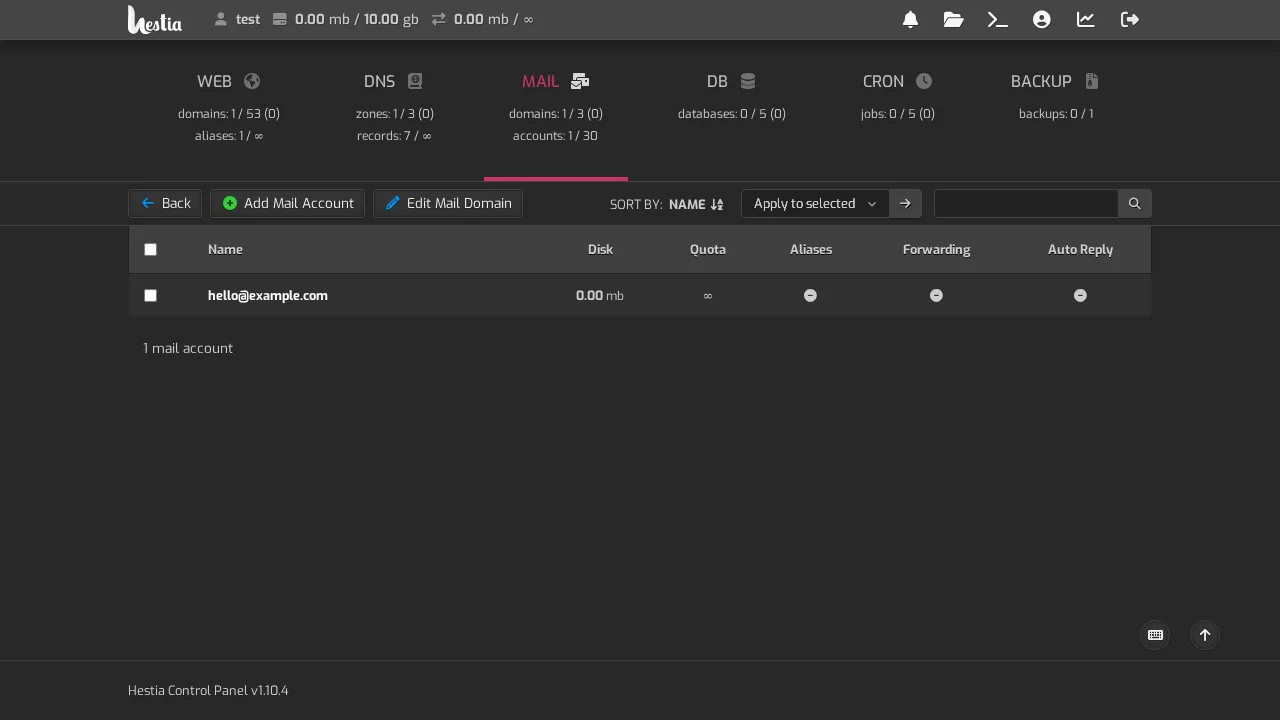
Step 2 — Add an account
Click Add Mail Account. You'll see a form with:
- Domain — the domain you want the address on (e.g.
example.com) - Account — the part before the
@(e.g.you→you@example.com) - Password — choose a strong one (see Strong passwords)
The form also shows your connection settings — the Username, Webmail address, and Hostname you'll use to set up email on a device. Keep these handy.
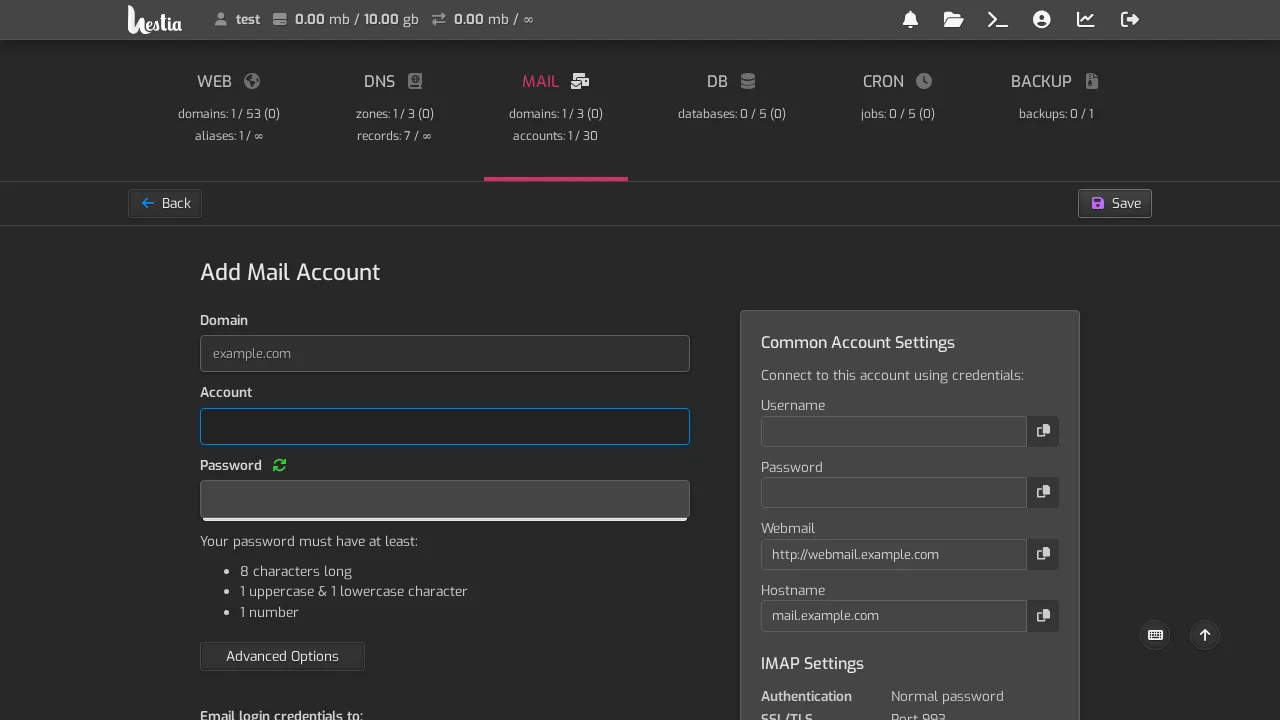
Password rules: your password must be at least 8 characters, with both upper and lowercase letters, and at least one number.
Step 3 — Save
Click Save. Your mailbox appears in the Mail list.
What's next
- Connect it to your phone — see Set up on your phone
- Connect it to a computer — see Set up on a computer
- Read it in a browser — see Webmail