Email
Professional email on your own domain — like you@yourbusiness.com — looks far more trustworthy than a free personal address.
There are two ways to get it from us:
- Email with your hosting — mailboxes included with a shared hosting plan, managed in your control panel. Use this if you have a website.
- Email Hosting — a standalone email-only product for when you just want a mailbox and no website. See the Email Hosting section.
The guides below cover email that comes with your hosting. Not sure which you need? See What is Email Hosting?.
-
📧 Create an email address --- Set up a mailbox on your domain.
-
🔑 Change or reset a mailbox password --- Update or recover a mailbox password in under a minute.
-
📱 Set up on your phone --- Add your email to iOS or Android.
-
💻 Set up on a computer --- Outlook, Apple Mail, Thunderbird, and more.
-
🌐 Webmail --- Read and send email in your browser.
-
📖 What is webmail? --- Email in your browser, explained.
-
📬 Email deliverability --- Keep your email out of the spam folder with SPF, DKIM, and DMARC.
-
🩹 Common email problems --- Fix can't send/receive, spam, and login issues.
-
📦 Email migration checklist --- Move your mailboxes and devices to us.
Looking to register an account rather than set up email? See Create an account.
Want email without a website? See Email Hosting.
Email settings you'll need
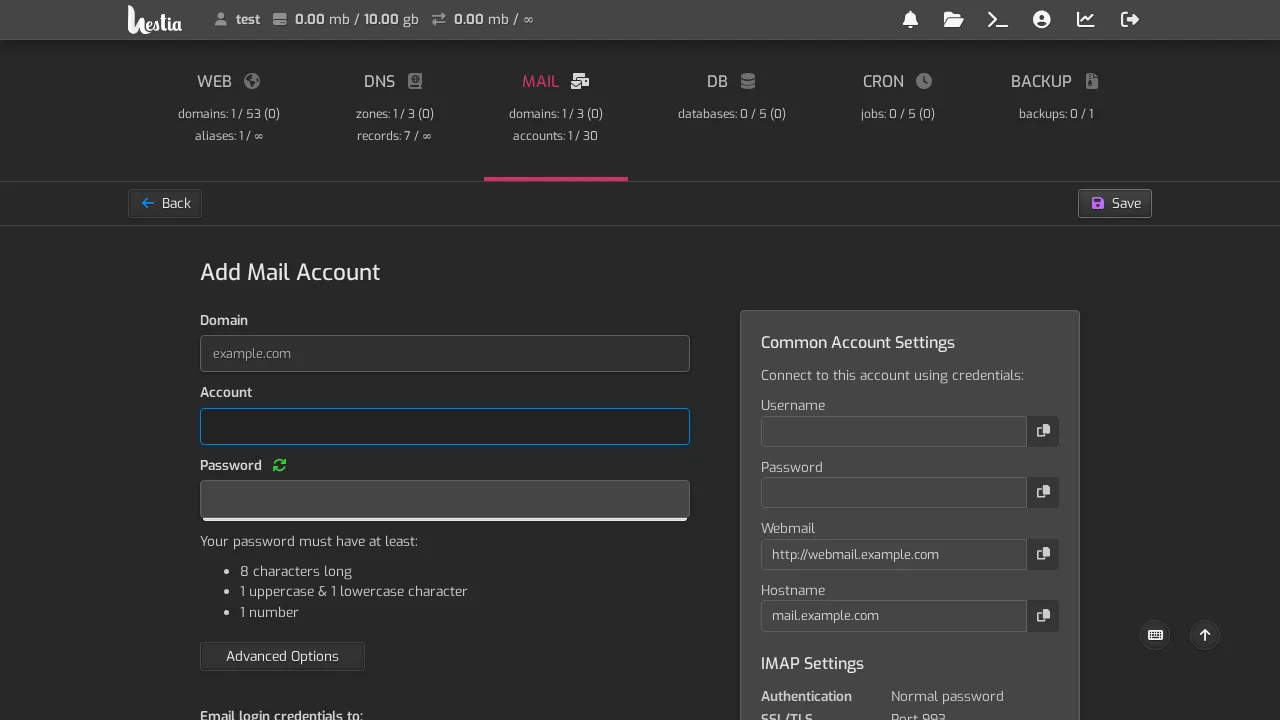
When you set up email on a device, you'll use the settings shown in the control panel when you create a mailbox. We've captured an example of those below.